Launcher
Tap Super. Apps, files, windows, calculator, clipboard, emoji, wallpapers, web search, and > for a command palette with every bind and its keys. Try it.
Arch Linux · Hyprland 0.56 (Lua) · Quickshell 0.3.2
The whole desktop, in one repo.
A hand-built shell, a Lua compositor config, one theme file and one command, nox.
Circle anything and ask Claude. Talk instead of type. Watch every coding agent from one panel.
shell.jsonnox commands behind one entry pointtokens.json01 / Circle to Ask
SuperShiftA freezes the focused monitor. Drag a loop around anything, a stack trace, a chart, a sign in another language, and Claude Sonnet streams the answer next to it. A straight drag is a rectangle, a click takes the window.
claude -p, no tools, no session filesclaude, codex, gemini or opencode in a terminal with the circled image$XDG_RUNTIME_DIR and are deleted on close02 / Voice typing
Hold SuperShiftSpace, speak, let go. The words are typed into whatever field has focus. Speech-to-text is whisper.cpp on the GPU through Vulkan, on this machine. The model sits in VRAM while you use it and the server exits after a few idle minutes.
q5_0 or q8_0 modelnox voice tidy on)$XDG_RUNTIME_DIR, deleted after transcribing; transcripts are never loggednox voice setup builds it and downloads the model03 / Mission Control
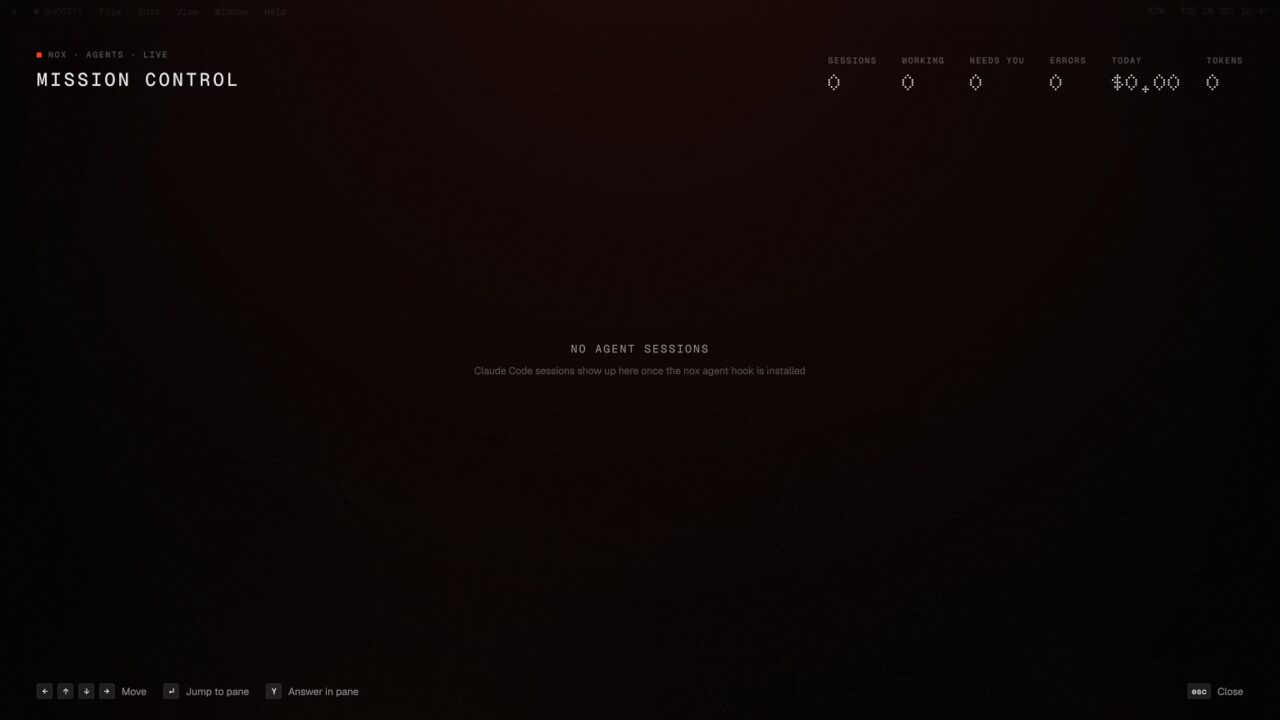
CtrlSuperM shows every Claude Code session running anywhere on the box: what needs you, what is working, what is done. Answer from the panel, jump to its window, open the last turn's diff, or start a new task in the background with > task in repo. A read-only hook writes the state; the panel never touches your sessions.
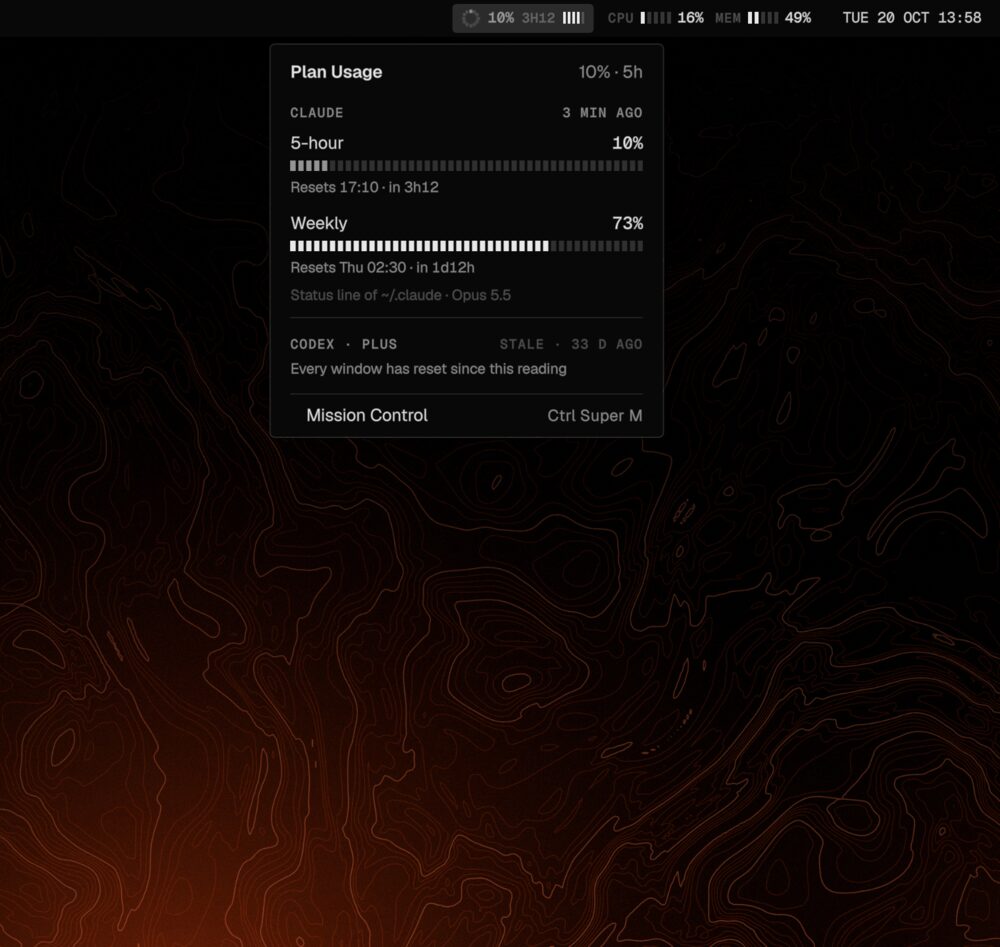
The bar shows your Claude plan: a ring for the 5-hour window, the time to its reset, a five-bar meter for the week. Dim below 50%, accent from 80%, pulsing from 95%. The numbers come from Claude Code's own status line, teed to a file in about a millisecond: no network, no credentials.
04 / The everyday desktop
A shell written from scratch in Quickshell: twenty modules, each one switched in shell.json. Nothing here is a theme over someone else's widgets.
Tap Super. Apps, files, windows, calculator, clipboard, emoji, wallpapers, web search, and > for a command palette with every bind and its keys. Try it.
Connectivity, sound, display, media, performance, notifications. SuperAltN.
Popups with real actions, a center with a calendar, Do Not Disturb on SuperAltD.
Every capture lands on a card first; nothing hits ~/Pictures until Save. OCR on SuperShiftX, recording on SuperShiftR.
hyprlock themed from the tokens, and a login screen that is its own small Hyprland + Quickshell on greetd, with a boot intro.
Charging stops at 80% through UPower; nox battery full for travel days.
SuperTab overview, AltTab switcher, layouts on Super\, and nox ws save to restore apps and window layout later.
A slideshow and GPU upscaling for wallpapers, a Markdown notepad on CtrlSuperS, a desktop clock column and a commit grid.
05 / Drop shelf
Drag a file, text, an image or a link to the right edge of the screen and it waits there. Drag it out into any app when you need it. SuperShiftD opens the shelf; Dolphin has Send to Shelf in its menu.
nox shelf undo puts back what was takennox shelf add ~/Downloads/plan.pdf · echo hi | nox shelf add -06 / Phone link
A lightweight KDE Connect daemon written in Rust (kdeconnect-rs), with a local patch that adds Remote Input: the phone becomes a touchpad and keyboard. Run-command buttons lock, sleep or screenshot the laptop from across the room. Works with the official KDE Connect app.
nox phone send · clip · ring · pairnox phone build clones at a pinned commit and applies the patch07 / One file of tokens
tokens.json holds every colour, radius, font and timing. Looks are overlays on top of it. nox theme apply renders them into GTK 3/4, KDE and Dolphin, Ghostty, kitty, fuzzel, btop, hyprlock and satty, with a backup, and the shell and Hyprland read the tokens live. Pick a look:
08 / Files
Dolphin themed from the same tokens, with a right-click nox menu for the small jobs: a terminal here, copy the path, send to the shelf or the phone, and for images OCR, annotate, convert, halve, or strip EXIF and GPS. Right-click a file.
09 / Try the whole desktop
A full interactive model of nox. Use it like the real one, or jump straight to a part.
10 / Keybinds
Straight from the Lua bind groups. In the real thing, Super/ shows this sheet and CtrlSuperSpace searches it.
11 / One command
install.sh is idempotent: every step checks first and prints [ok] when there is nothing to do. Machine facts go to git-ignored files, so the repo stays the same on every laptop. nox doctor gives every red line its fix.
$ git clone https://github.com/ParthKapoor-dev/dotfiles ~/code/dev/dotfiles/base0
$ cd ~/code/dev/dotfiles/base0
$ ./install.sh --dry-run   # what is done, what would run; changes nothing
$ ./install.sh             # do it, then log out and back in
$ nox doctor               # red/green report, a fix for every red line
--dry-run · --only · --skip · --yesCore steps: preflight, packages, stow, migrate, detect, theme, units. Extras are asked one by one: greeter, battery, /etc snapshots, voice, phone, the agent hook, notes.
nox detectMonitors, battery, mic, thermal sensor, backlight and GPU go into git-ignored local files. A value you changed by hand is kept.
nox updategit pull --ff-only, new migrations once each, re-stow, theme apply, doctor summary. --check changes nothing.
Every shell module is a switch in shell.json. Every Hyprland setting can be overridden in a local Lua file with an after(ctx) hook.
A personal system, not a distro. Public so anyone can clone it, run one script and get the same desktop.